How to Use Beyay Pharmacy
A complete step-by-step visual guide of the entire app — from creating an account and verifying your identity, to ordering medicines, uploading prescriptions, and tracking delivery.
Homepage & Quick Actions
Your Health, Delivered Nationwide
Order authentic medicines and supplements from the comfort of home.
The homepage is the customer's starting point. Three quick actions let them jump straight to browsing the store, uploading a prescription for review, or tracking an existing order. The search bar lets customers find specific medicines by name or brand instantly.
Create an Account & Verify Email
Register with email or Google, then confirm with a 6-digit OTP code
Create your account
Join thousands of Filipino customers
Next: Email Verification (OTP)
A 6-digit code is sent to your email after registration.
Customers can register with Google (one click) or by email. After entering their name, mobile number, email, and password, a 6-digit OTP code is sent to their email. Entering the code verifies the account. The Philippine mobile number (11 digits, starting with 09) is required at registration — it's used for delivery and order notifications.
Complete Account Setup
One-time onboarding: personal details, delivery address, and government ID (KYC)
Complete Your Account
A quick one-time setup: profile, delivery address, and ID verification (KYC).
Personal Details
Delivery Address
Province → City → Barangay → Street
Standardized PH locations for courier routing
ID Verification (KYC)
Upload government ID (front)
Setup complete — you're all set!
After registration, customers complete a one-time onboarding with three sections: Personal Details (name + validated PH mobile), Delivery Address (standardized Philippine province/city/barangay for accurate courier routing), and KYC ID Verification (government ID upload). KYC is reviewed by pharmacy staff. Once submitted, the customer can browse and order freely.
Browse the Pharmacy Store
Pharmacy Store
Filters
Category

Gutskin
Bilex

Livever
Customers can search by name or brand, filter by category (Prescription, OTC, Vitamins, etc.), and toggle between grid and list views. Products marked "Rx" require a doctor's prescription.
View Product & Add to Cart


Beyay Pharmacy
Gutskin
Immune system booster and digestive support supplement
Authentic
FDA Reg.
Nationwide
Fast
Returns
7-day
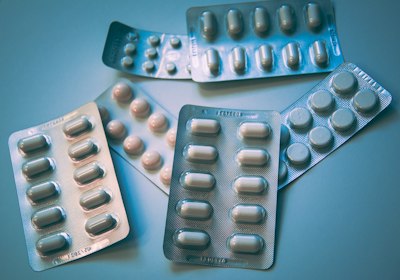
Each product page shows the full image gallery, price, stock status, and usage details. For prescription items (marked "Rx Required"), a prompt reminds customers to upload their prescription at checkout. "Add to Cart" saves the item; "Buy Now" skips straight to checkout.
Review Your Shopping Cart
Shopping Cart (2 items)

Gutskin
Bilex
Prescription requiredOrder Summary
Customers can adjust quantities, remove items, apply promo codes, and see the live total. Free shipping is automatically applied on orders above ₱1,500. If any item requires a prescription, a notice appears at the top of the cart.
Checkout — Delivery Address
Step 1 of 4: Choose your delivery address and upload prescription if needed
Delivery Address
09171234567
123 Main St, Brgy. San Isidro, Quezon City, Metro Manila
Upload Prescription
Required for Rx items in your cart.
Click to upload prescription
JPG, PNG, or PDF
Order Summary
Customers select from their saved addresses. If the cart contains prescription (Rx) items, a prescription upload zone appears — the order won't proceed without it. Government discount (PWD / Senior Citizen, 20%) can also be claimed here with an ID upload.
Checkout — Order Review
Step 2 of 4: Confirm items, totals, and tell us where you found us
Order Review
Gutskin
Qty: 1
Bilex
Qty: 2
The review step confirms all items, the delivery address, and the final total (including shipping and any discounts). Customers also answer "Where did you find us?" here — this helps the pharmacy track marketing reach.
Checkout — Payment Method
Step 3 of 4: Choose Maya QR, GCash QR, or Cash on Delivery
Payment Method
Maya QR
Scan & pay with Maya e-wallet
GCash QR
Scan & pay with GCash e-wallet
Cash on Delivery
Pay cash when your order arrives
Three payment options are available: Maya QR, GCash QR, and Cash on Delivery (COD). For Maya and GCash, the customer scans a QR code and uploads a receipt in the next step. For COD, the customer pays cash to the courier upon delivery — no receipt needed.
Checkout — Pay & Upload Receipt
Step 4 of 4: Scan QR, pay, and upload your payment receipt
Pay with Maya & Upload Receipt
Scan to pay ₱1,130.00
Beyay Pharmacy · 09171234567
Upload your payment receipt
Upload your payment receipt
JPG, PNG, or PDF
Your order is placed once you upload the receipt — our team verifies payment before shipping.
This is the final step. The customer scans the QR code with their Maya or GCash app, pays the exact amount, then uploads a screenshot or photo of the payment receipt. The order is only placed once the receipt is uploaded. Our pharmacy team manually verifies the payment before shipping — ensuring every transaction is secure.
Order Confirmation
Order Placed!
Thank you for choosing Beyay Pharmacy.
Maya payment verification
We received your Maya receipt. Our team will verify your payment and confirm your order shortly.
After placing the order, the customer sees a confirmation page with their order number. Depending on the payment method, they see tailored instructions: Maya/GCash receipts are being verified, COD customers are told to prepare cash. If the order has Rx items, they're notified that a pharmacist will review the prescription within 2–4 hours.
Track Your Order
Track Your Order
Enter your order number to get real-time delivery updates
Order Number
BYY-36746353
Total
₱1,130.00
Order Placed
Approved
Preparing
In Transit
Out for delivery
Delivered
Delivering to
Christelle Liz Oña · Quezon City, Metro Manila
Customers can track any order by entering its order number (e.g. BYY-36746353). The timeline shows every stage: Order Placed → Rx Review (if applicable) → Approved → Preparing → In Transit → Delivered. Pending orders can also be cancelled directly from this page — refunds for e-wallet payments are processed within 7–14 days.
Upload a Prescription (Standalone)
Customers can submit prescriptions anytime — even without placing an order
Upload Your Prescription
Securely submit your prescription for pharmacist review
Drag & drop your prescription here
or click to browse files
Accepted: JPG, PNG, PDF · Max: 10MB
Customers don't need to place an order to submit a prescription. They can visit this page anytime, enter their name and phone number, upload their Rx image or PDF, and our licensed pharmacist will review it within 2–4 hours. Once approved, the customer can order the prescribed medicines without uploading the Rx again at checkout.
Account Dashboard
View recent orders, check KYC status, and manage profile & addresses
Welcome back, Christelle
Here's an overview of your account.
Profile
CompleteKYC Verification
VerifiedRecent Orders
View allBYY-36746353
Aug 4, 2026 · in transit
BYY-28912344
Jul 28, 2026 · delivered
The account dashboard is the customer's home base after login. It shows their profile completion status, KYC verification status, and recent orders with direct links to full order history. From here, customers can also access their settings to update personal details, manage saved addresses, and re-submit KYC if needed.
The Complete Journey at a Glance
FDA & PDEA Registered
All medicines are authentic and sourced from licensed suppliers.
Nationwide Delivery
Lalamove, J&T, Ninja Van, LBC, and more across all Philippine regions.
Verified Payments
Every e-wallet receipt is checked by our team before shipping.